

Create a Digital Terrain Model with a new algorithm for Model Keypoint Classification
TerraScan version 025.018 introduced a new algorithm for classifying model keypoints from which a Digital Terrain Model can be created from. The new algorithm is called Break + mass. The algorithm identifies breaklines and mass points to enhance the model keypoint classification. The previous algorithm for classifying model keypoints is not replaced by this new algorithm. In fact, the previous algorithm will coexist with the new one and users can choose between the algorithms when classifying model keypoints. The new algorithm can reduce the number of nodes in a digital terrain model by 39%, resulting in 39% less disk space used.
Why model keypoints are calculated if the end goal is a Digital Terrain Model?
Point clouds are usually dense and the ground model rarely requires a sub-centimeter accuracy. Furthermore the ground points in a point cloud often include points that have redundant information regarding the Digital Terrain Model surface geometry. A good visual explanation of this redundancy is shown in TerraScan user guide.

The model keypoints aim to represent the ground geometry with as few points as possible. Fewer model keypoints reduces computational resources required for calculating a Digital Terrain Model. Additionally the size of the output Digital Terrain Model is reduced allowing a smooth viewing experience.
Where to find the algorithms and the tools?
There are two ways to use the new algorithm.
- Use it to only classify model keypoints.
- Use it to classify model keypoints and triangulate a Digital Terrain Model with extra adjustment options.
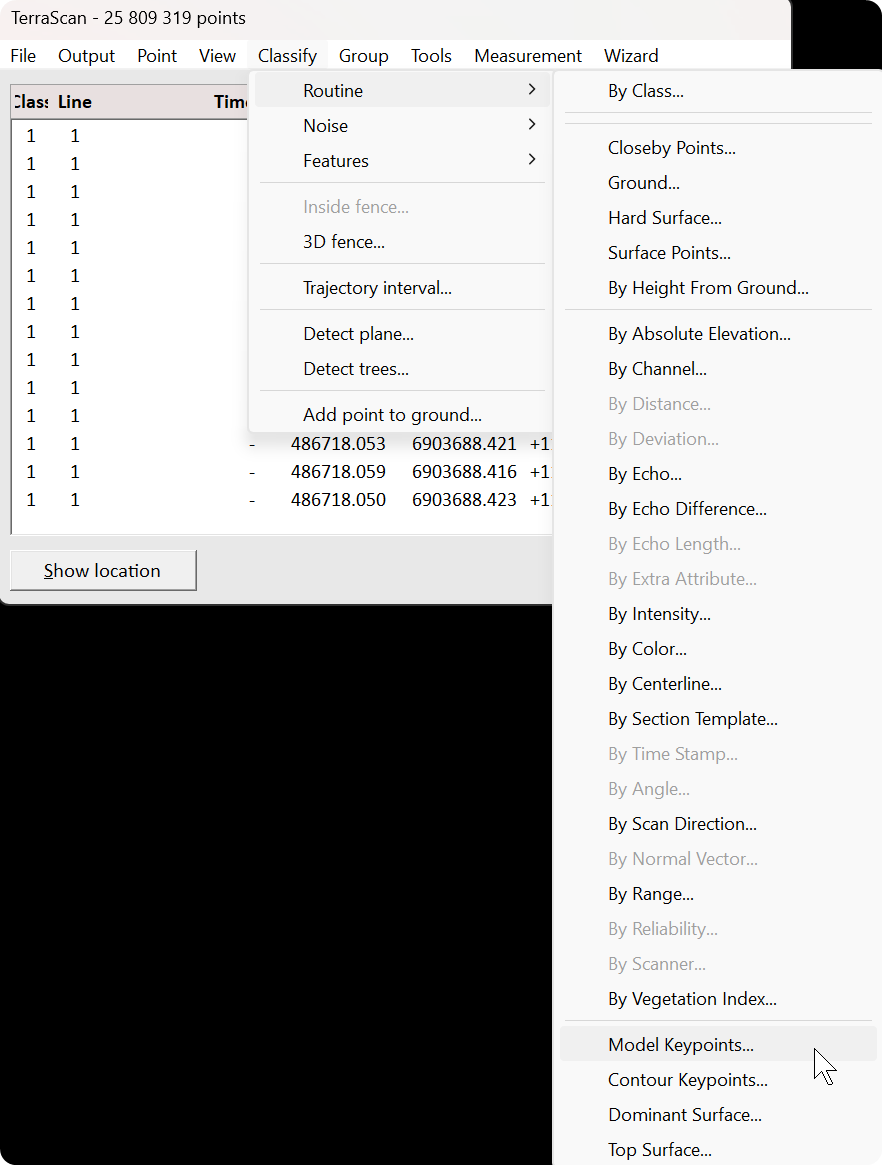
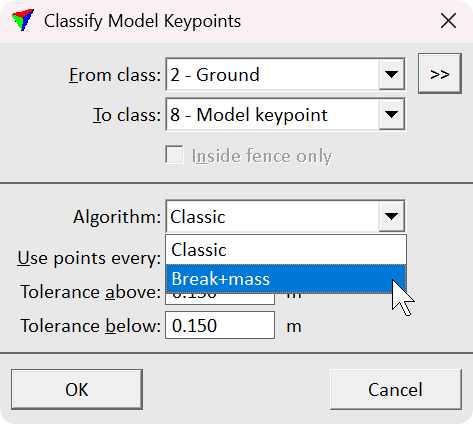
Let’s start with the first option. The classification option is available in TerraScan > Classify > Routine > Model Keypoints.... Selecting the tool opens the Classify Model Keypoints dialog where you define options for the classification. From the Algorithm drop down menu you can choose between the classic and the new Break + mass algorithms.
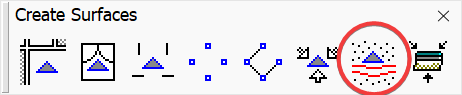
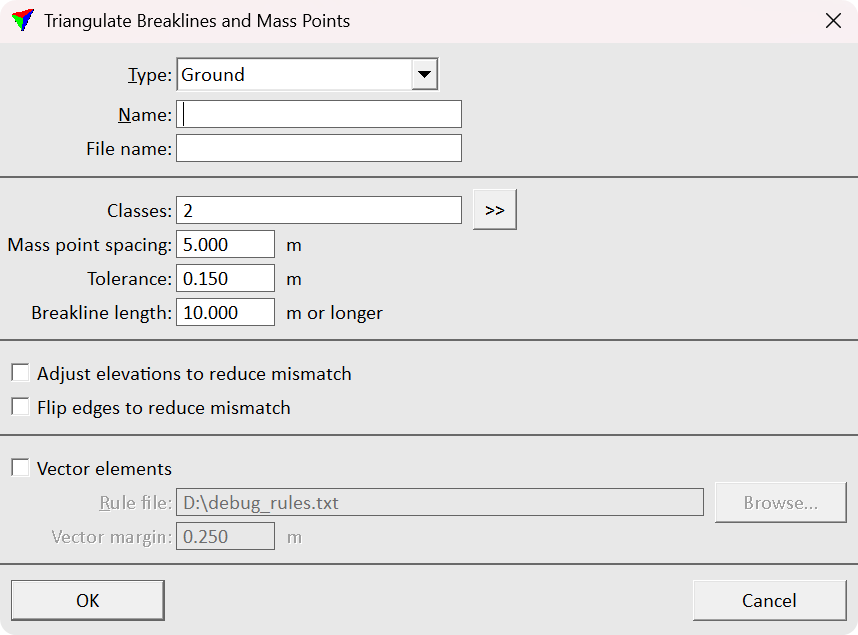
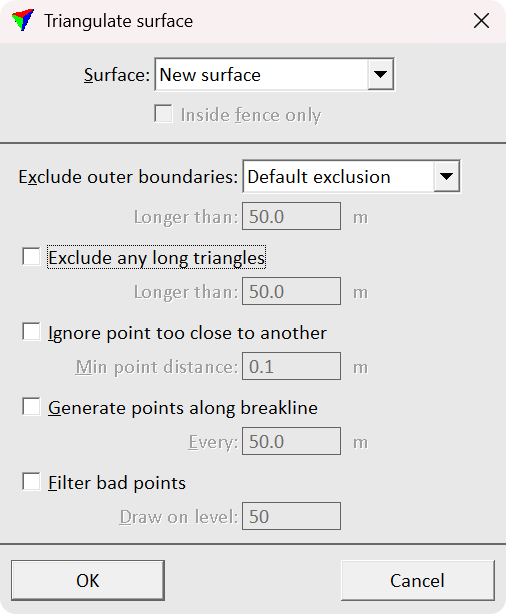
Then let’s continue to the second option of classifying and triangulating. Triangulate Breaklines and Mass Points tool is in TerraModeler Create Surfaces toolbox. The tool streamlines the Digital Terrain Model creation process by combining the classification and the triangulation. Selecting the tool opens the Triangulate Breaklines and Mass Points dialog where you define the options for the model keypoints. After defining the options and proceeding by selecting OK the Triangulate surface dialog opens. In the dialog you define options for the surface model being created. Selecting OK after carefully defining the correct parameters starts the whole process. After the process has finished the newly created surface appears in Surface dialog list and is written on disk.
Comparison of the two algorithms for model keypoint classification
The classic algorithm is the one users are familiar with. It requires less computational resources than the new Break + mass algorithm. However, the efficient computation comes with a trade off. The output Digital Terrain Model is much more heavier compared to an output of the Break + mass algorithm.
I run the algorithms with the same data of 1.1 million ground points in 79 hectares (~1.4 points/m²). I set the maximum point spacing to 5 meters and the tolerance to 0.15 meters. After the keypoint classification I created Digital Terrain Models out of the classified keypoints.
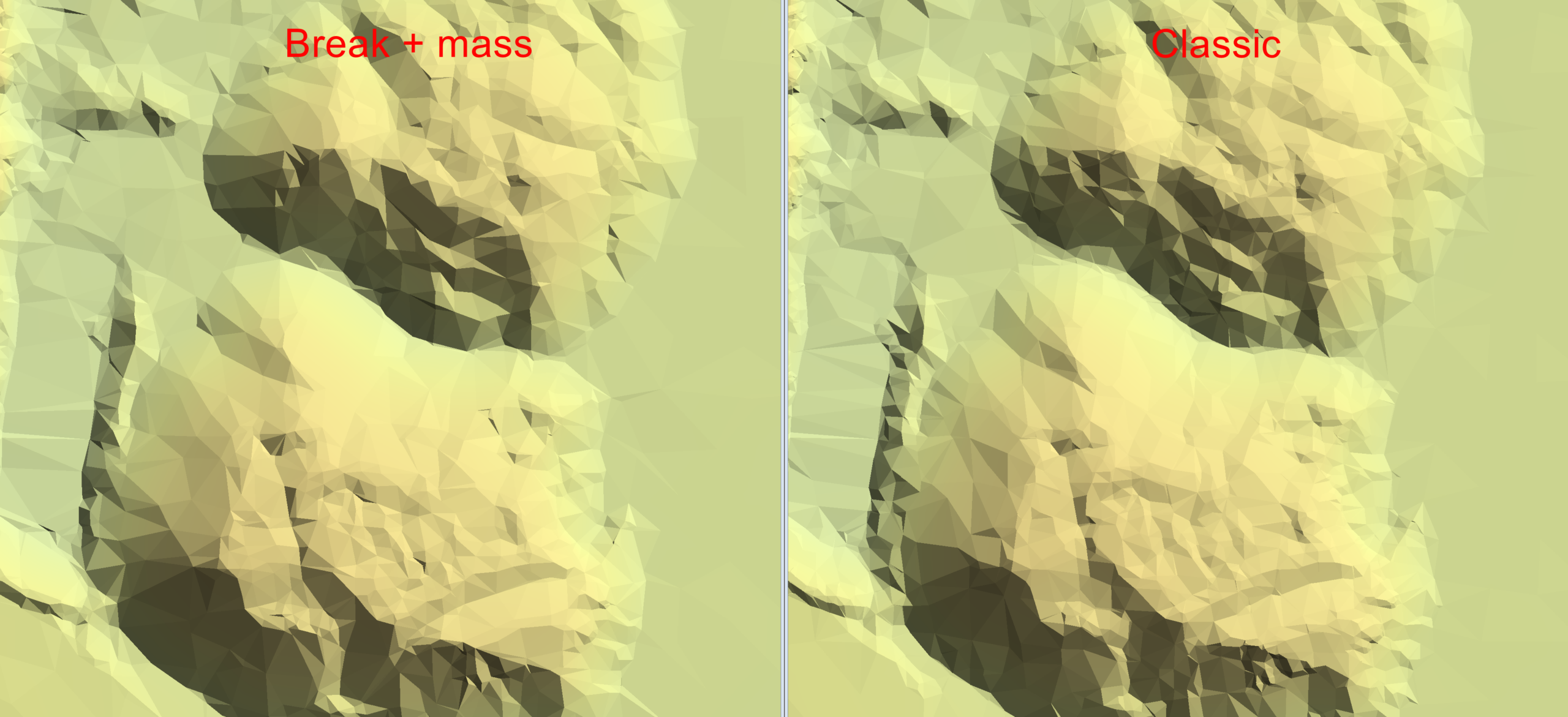
The classic algorithm classified 26 511 points (~0.03 points/m²) as model keypoints and the new Break + mass algorithm classified 16 211 points (~0.02 points/m²). The new algorithm classified 39 % less points than the classic. The size of the created Digital Terrain Model was 1 872 KB and the size of the output of the new algorithm was respectively 39 % smaller.
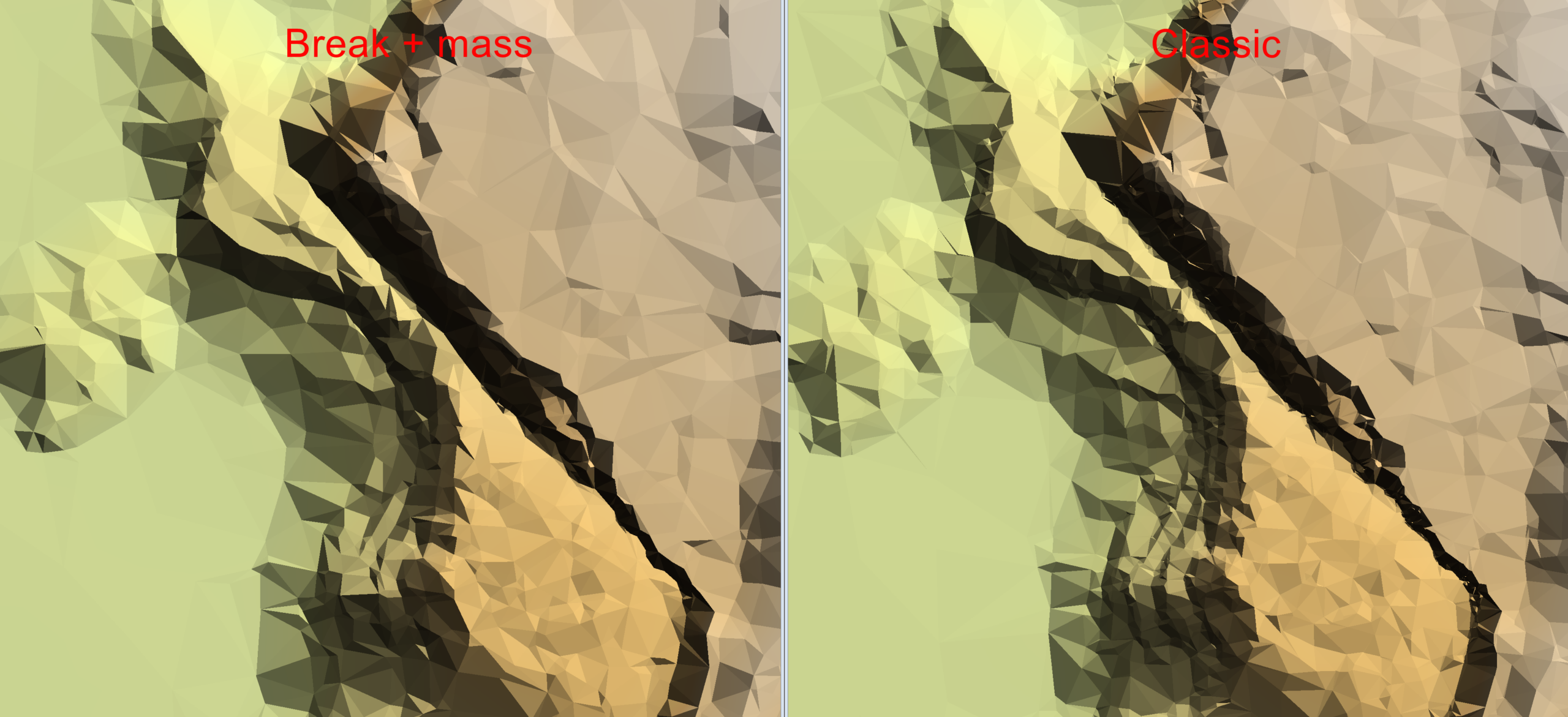
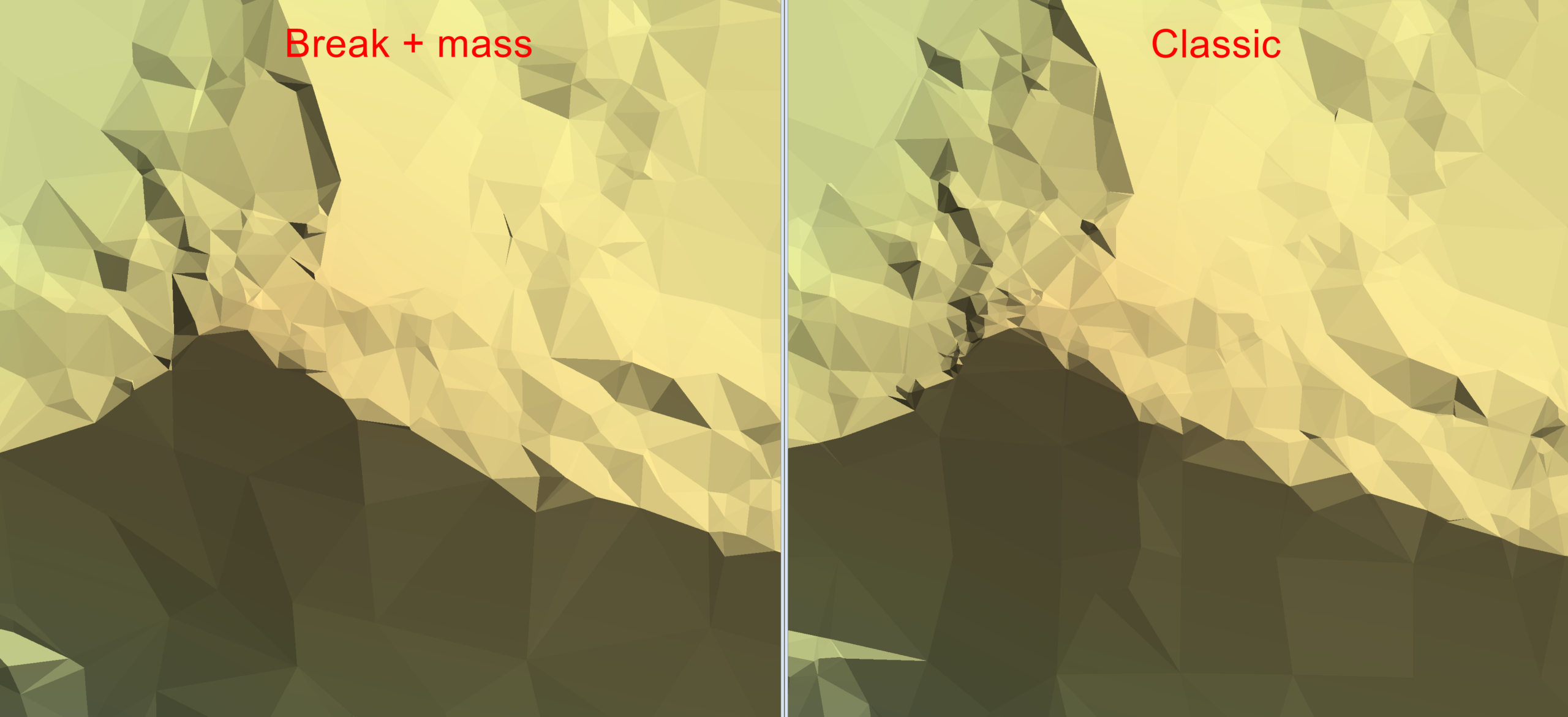
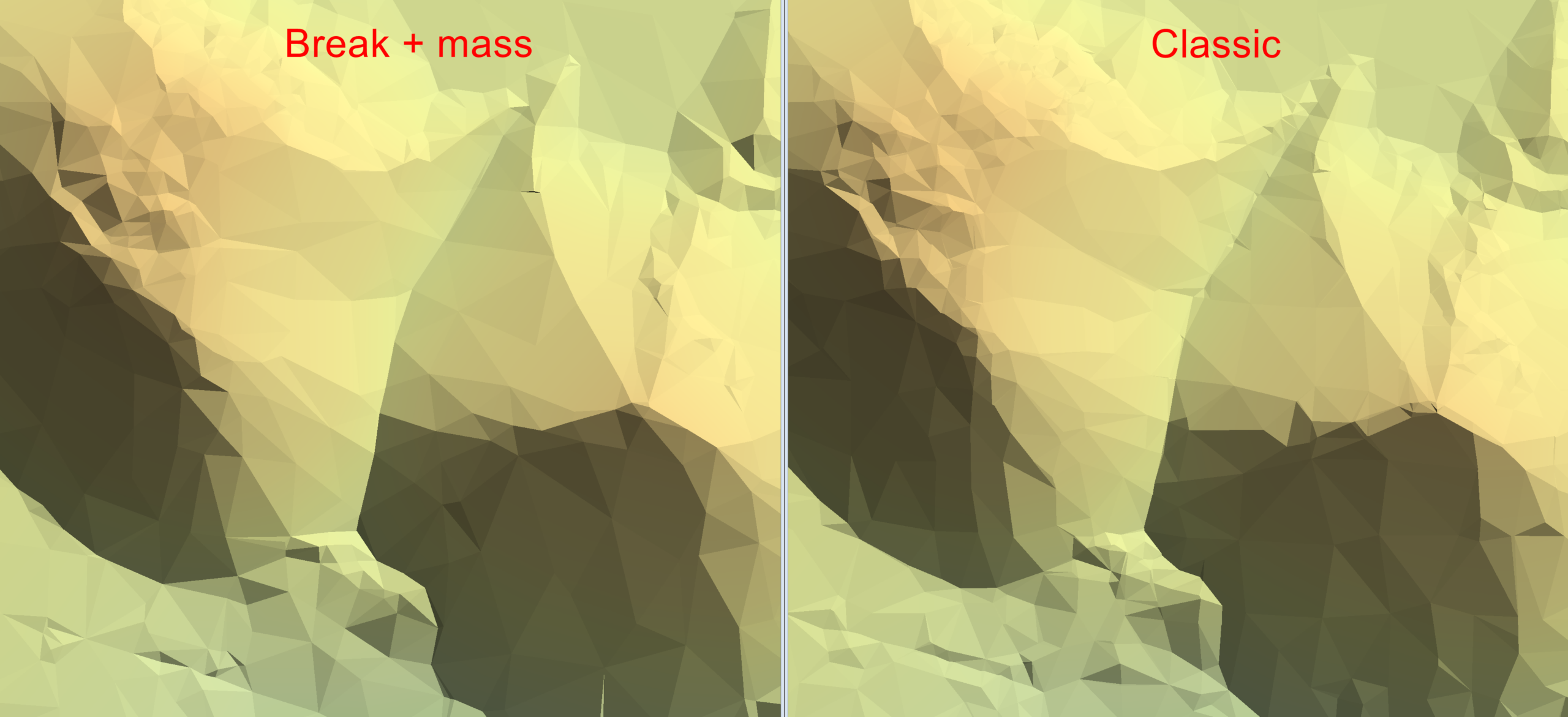
The differences of the Digital Terrain Models are especially highlighted in places where the ground surface geometry is challenging. The new algorithm seems to produce a smoother surface representation near breaklines and other major ground geometry features. I attached screenshots of the results. The new algorithm is on the left and the classic is on the right.
Conclusion
The new model keypoint classification algorithm called Break + mass is computationally more demanding than the classic algorithm. However, the new algorithm classifies less points as model keypoints while maintaining the same geometric accuracy. The new algorithm created a 39 % smaller Digital Terrain Model than the classic algorithm with the same data. Less model keypoints equals to a lighter Digital Terrain Model for smoother viewing experience especially with lower end platforms.
Written by:
Eino Waldén
Sales Support Engineer at Terrasolid Ltd.