

Streamline Workflows on Spatix CAD platform
Streamline your workflows and personalize your experience with Terrasolid software on the Spatix CAD platform using the tools presented in this Technical Note.
Many users repeat similar workflows across multiple projects. The customizations outlined below can save significant time and enhance the overall user experience.
Interface customization
Hiding unused toolbars and moving the most used ones to a convenient location makes working with the tools faster and easier. The toolbars in the Spatix interface can be hidden by right clicking the top toolbar and selecting visibility. Additionally, toolbars can be moved by grabbing on to the left side of the toolbar with a left click. These functionalities are shown in the example below.

These are all the possible toolbar placement options:

Keyboard Shortcuts
Keyboard Shortcuts can significantly speed up repetitive tasks and improve the ergonomics of software use. Many different Terrasolid software tools can be called using Spaccels (Spatix accelerators) and these commands can be mapped to the keyboard on Spatix platforms using Shortcuts. Shortcuts can be found under Edit > Shortcuts. Below is an example of Shortcuts designed for manually classifying low points through the use of a vertical section sweep. Additionally, predefined Display settings and Undo classification tools have been assigned to keys.

Multiple Spaccels can be called with one key by separating the commands using a semicolon.
Default Terrasolid software tool settings
An additional way to streamline work in Terrasolid software is through the editing of the default tool settings. For example, the Default project setup can be customized in the TerraScan Settings. Other useful default setups include Point display and Coordinate setup.

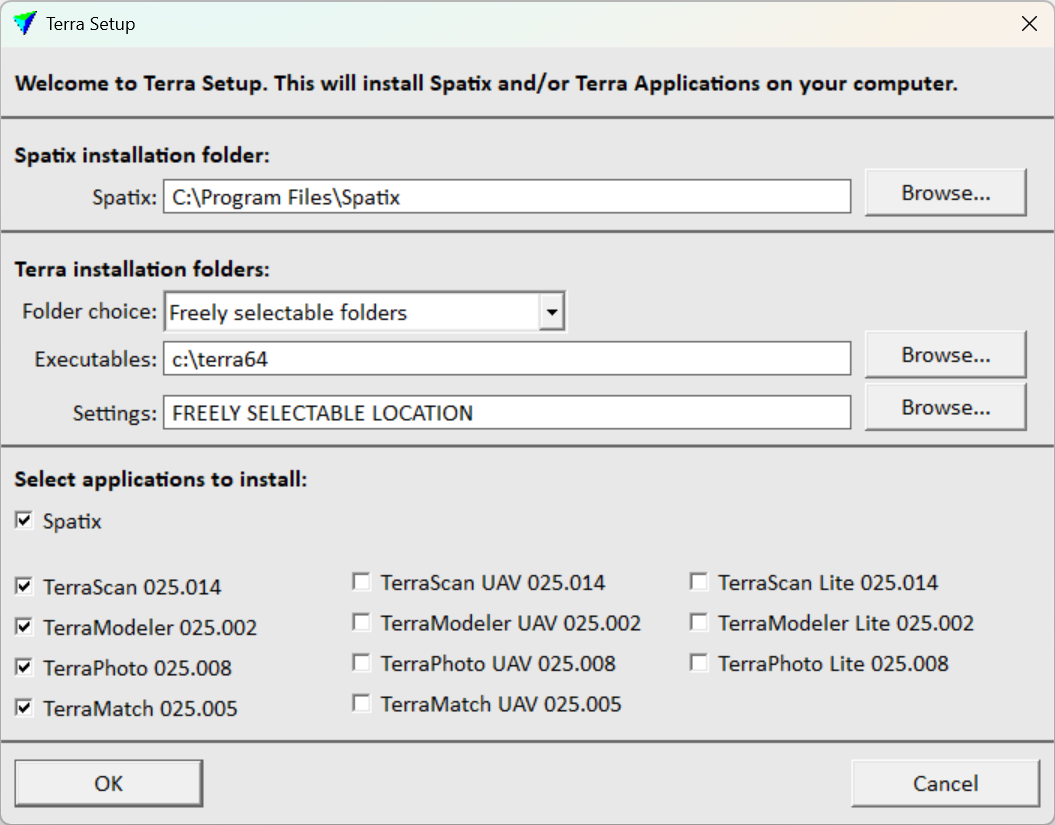
Terrasolid software settings can be stored in a network-accessible folder, allowing multiple users to share configurations. This folder location can be specified during software installation.
 Addons
An advanced customization option is Addons which provides, for example, the ability to build new tools on top of the existing ones. These custom tools are accessible through Tools pull down menu and can be made using the DLL Interface. An example intensity histogram addon tool is provided with the software download.

Written by:
 Lucas Magnusson
Sales Support Engineer at Terrasolid Ltd.