

Full E57 file format support in TerraScan and TerraPhoto
TerraScan version 026.003 introduces full support for E57 file format. E57 format is mostly used by terrestrial LiDAR scanners and 3D cameras from Leica, FARO, Trimble, Matterport and Z+F. E57 is an open file format because it is not tied to any specific measuring device or manufacturer. E57 supports both Cartesian and spherical coordinates. E57 files also include metadata and images of the scans.
You can now import points, scanner positions and images into TerraScan and TerraPhoto with the new Import E57 tool. Additionally, you can export your points in E57 format. The E57 format standard does not specify all the attributes supported by TerraScan. There is a possibility to store non format standard attribute values to E57 files. For example point classification is not included in to the standard attributes of the E57 format but TerraScan can store classification to the E57 files. However, other software tools reading E57 might not support the classification TerraScan has stored.
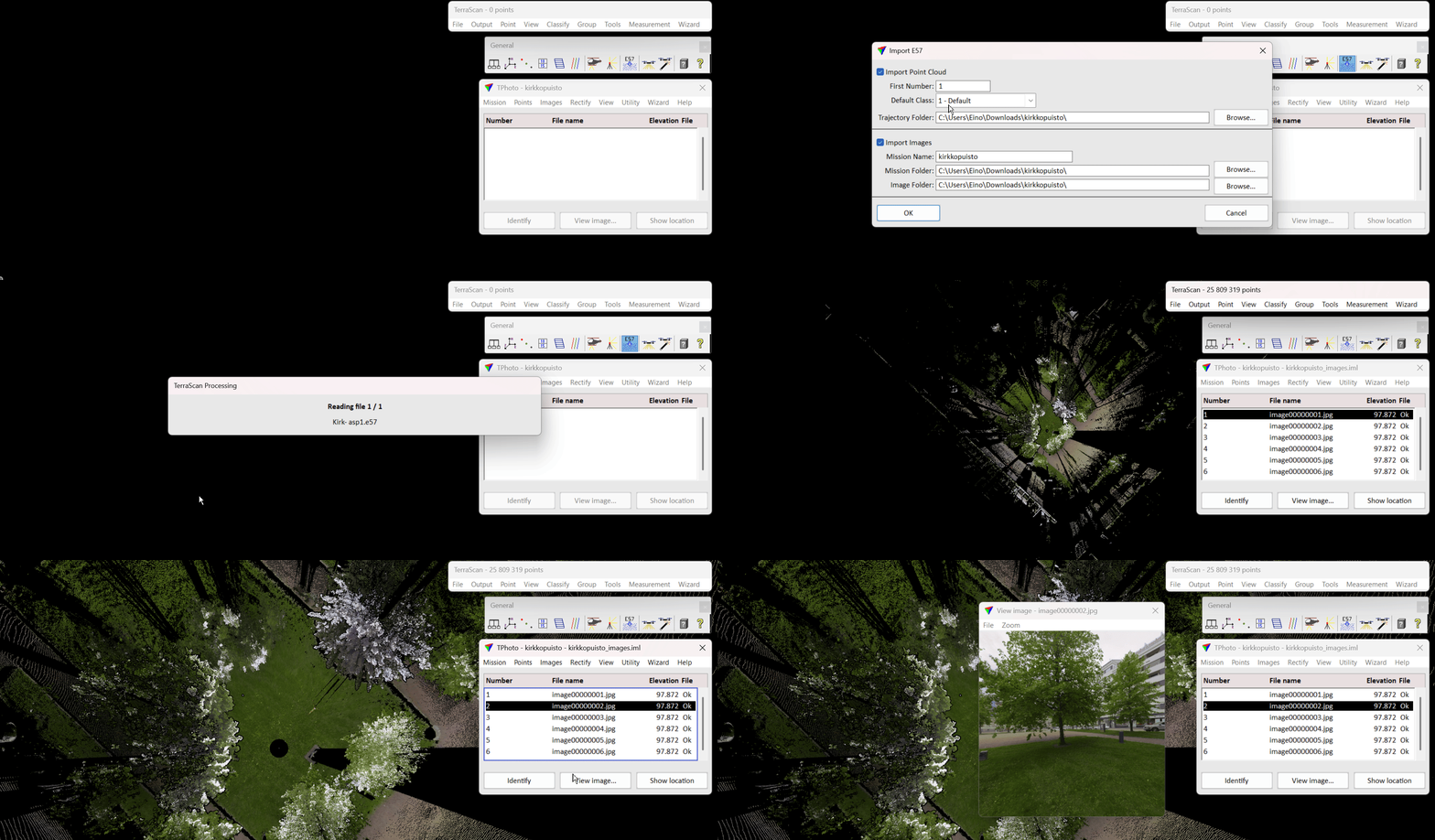
How to import E57 files with the Import E57 tool
The Import E57 tool is in the TerraScan General Toolbox.

After selecting the E57 files you can decide to import points and/or images from the selected files. You need to specify a trajectory folder where the trajectory files generated. TerraScan automatically generates .trj trajectory files from the E57 files if the folder you provided does not already have trajectories. Similarly you need to specify a mission and image folder for the generated mission and imported images.
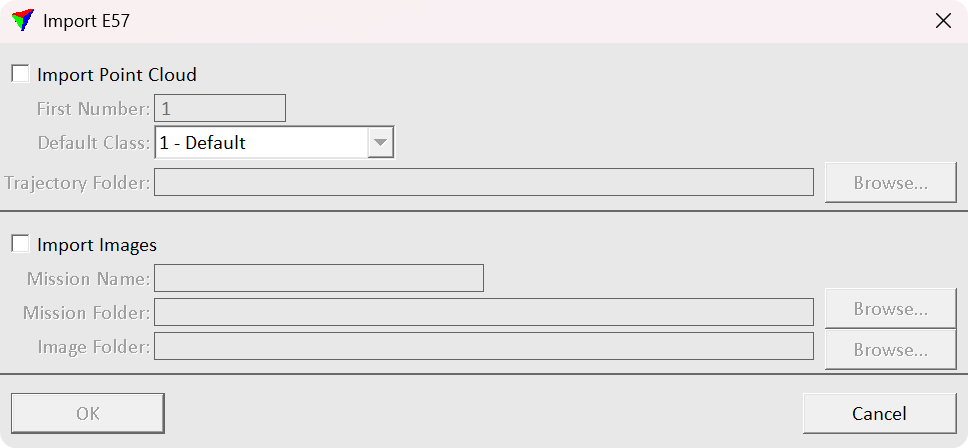
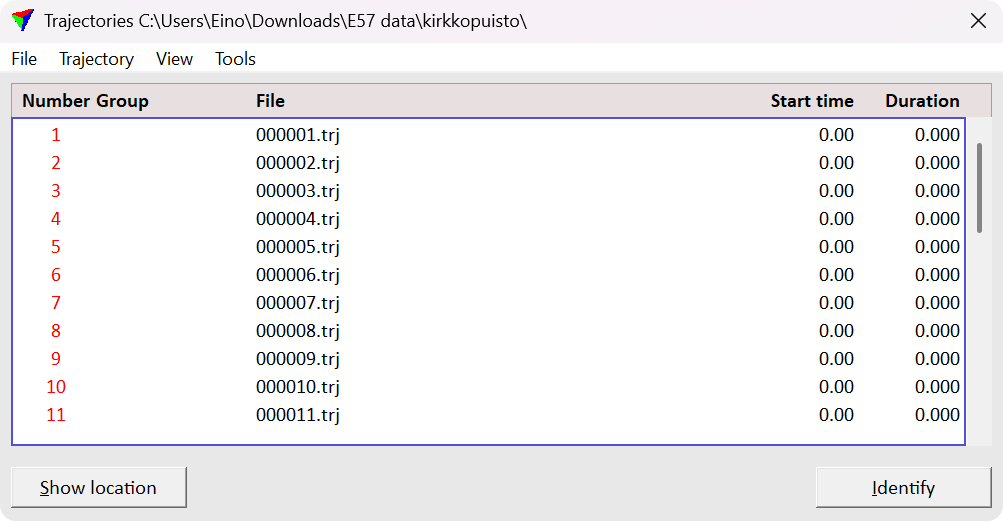
How to import E57 images or points individually
It is possible to read E57 points from the TerraScan main window as well File > Read points... This option reads the points without importing the images. You are asked to provide folder for the trajectories similarly as with using the Import E57 tool.

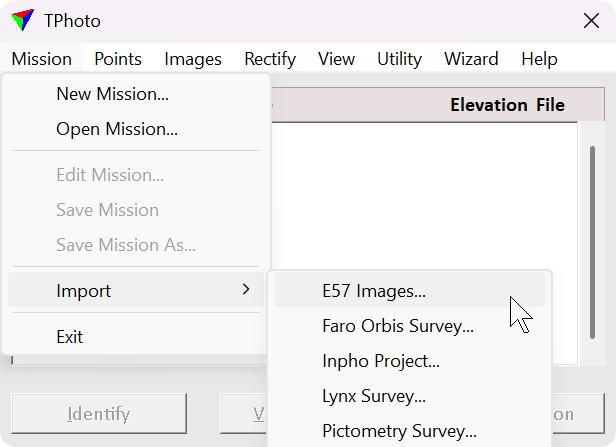
To import the images open TerraPhoto main window and click Mission > Import > E57 Images.... Then TerraPhoto asks you to specify mission and images folders similarly as with using the Import E57 tool.
Conclusions
In conclusion, to import points, images and metadata all at once use TerraScan General Toolbox > Import E57. If you want to import points only use TerraScan Main Window > File > Read points.... And if you want to import only the images use TerraPhoto Main Window > Mission > Import > E57 Images...
Written by:
Eino Waldén
Sales Support Engineer at Terrasolid Ltd.