

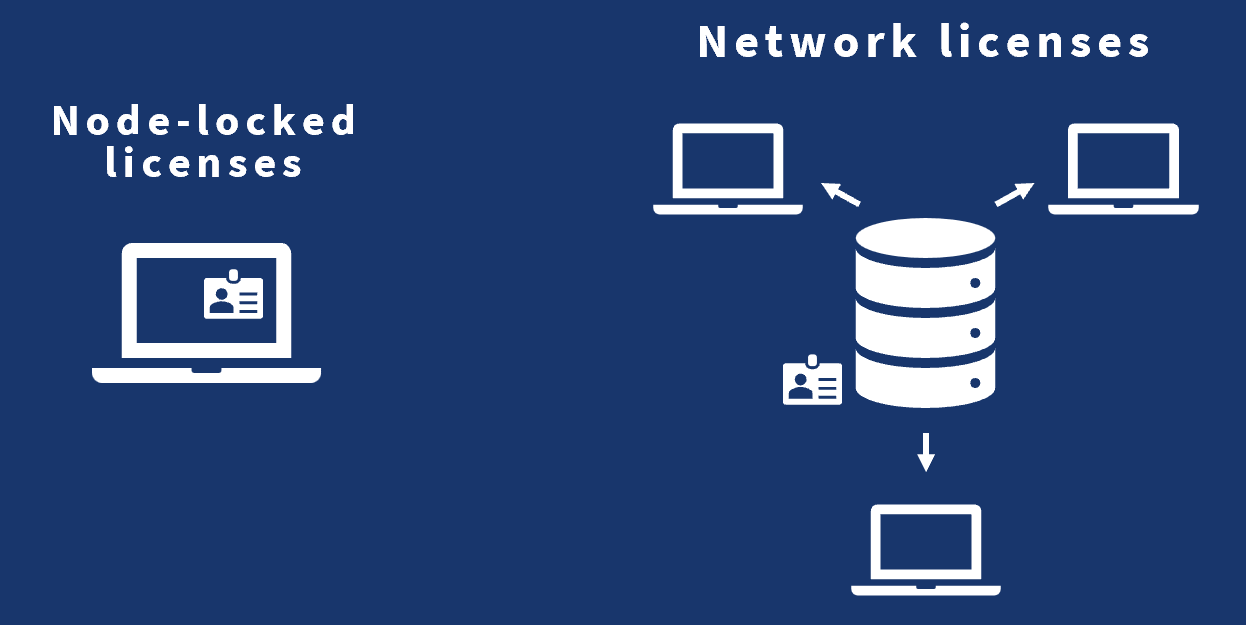
From a technical perspective, Terrasolid software licenses are available in two forms: node‑locked licenses, tied to a specific workstation, and network licenses, which allow license distribution within a company network. For teams, network licenses offer flexibility and efficiency, as users can access the software on-demand when processing tasks. For individuals with dynamic workflows, network licenses allow the same license to be used on a powerful office workstation and temporarily borrowed to a laptop when working on site.
Of course, borrowing and returning licenses adds a small amount of administrative overhead. Errare humanum est — it’s easy to forget returning a license at the end of the day, unintentionally reserving it even when not working. A practical solution for reducing such issues is using Windows Task Scheduler.
Task Scheduler is a Windows utility for automating actions based on system events or a recurring schedule. For Terrasolid network licenses, Task Scheduler can automatically return licenses when a workstation shuts down or enters sleep mode. Conversely, a scheduled task can periodically refresh a borrowed license to ensure uninterrupted access during long-running processes.
Returning application licenses on system shut down, hibernation, or sleep:
Closing the machine indicates we will have a break from processing work. It is good practice to return the license to the server, so that colleagues can keep working with the released license. This can be automated creating a task that triggers Terrasolid License manager to return licenses when system close related events occur. Follow these steps to set up automation:
- Open Windows Task Scheduler and create a new task
- Specify the task trigger. Configure the task fire on system shutdown, logoff, hibernation, or sleep events
- Specify the task action. Configure the task call License Manager return all borrowed licenses. Use command
license_manager.exe return all. For more details on available License Manager commands, see the User guide! - Save the task and enjoy the automation
Update licenses automatically based on regular schedule:
We generally recommend borrowing licenses for a short duration. Short expiration ensures licenses return to the server pool automatically when the software is unused, and minimizes the risk of license lockout if hardware fails. Additionally, scheduled refreshes help ensure licenses stay valid during overnight or long-running processes.
Follow these steps to daily recheck licenses:
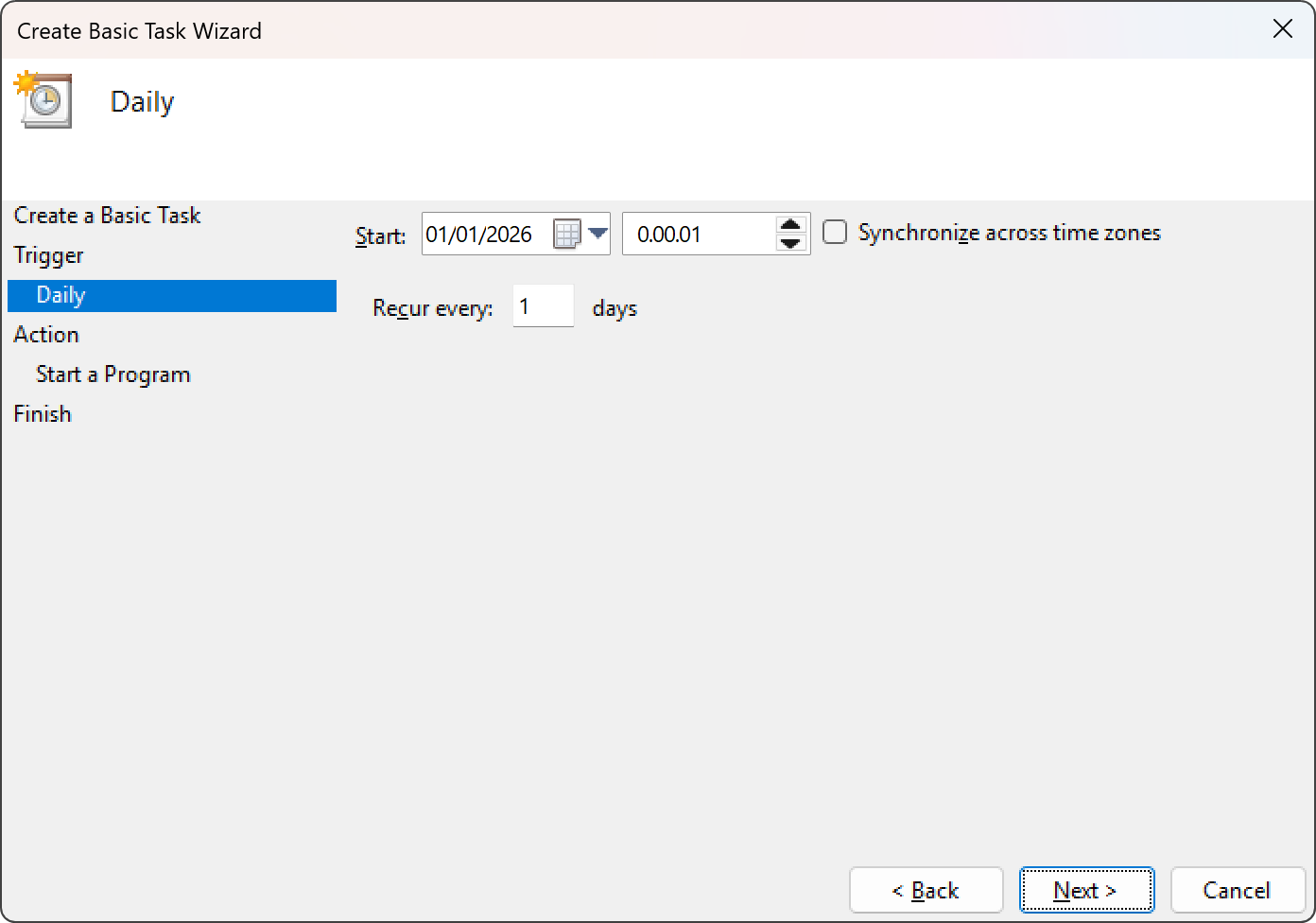
- Open Windows Task Scheduler and create a new task
- Specify the task trigger. Schedule the task run daily
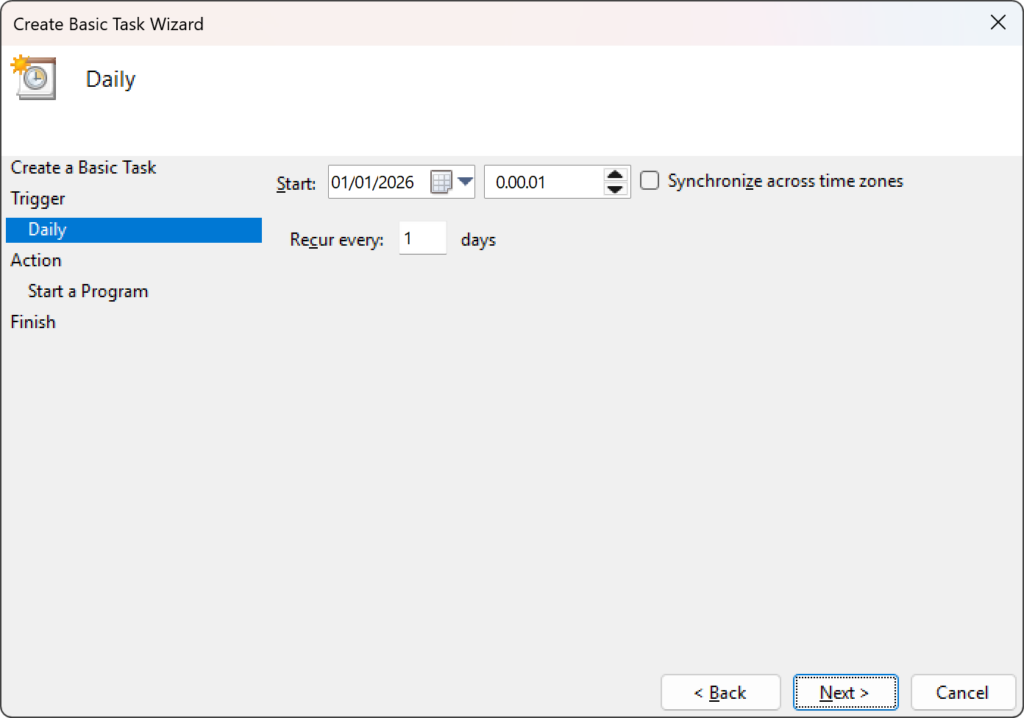
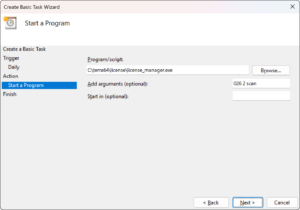
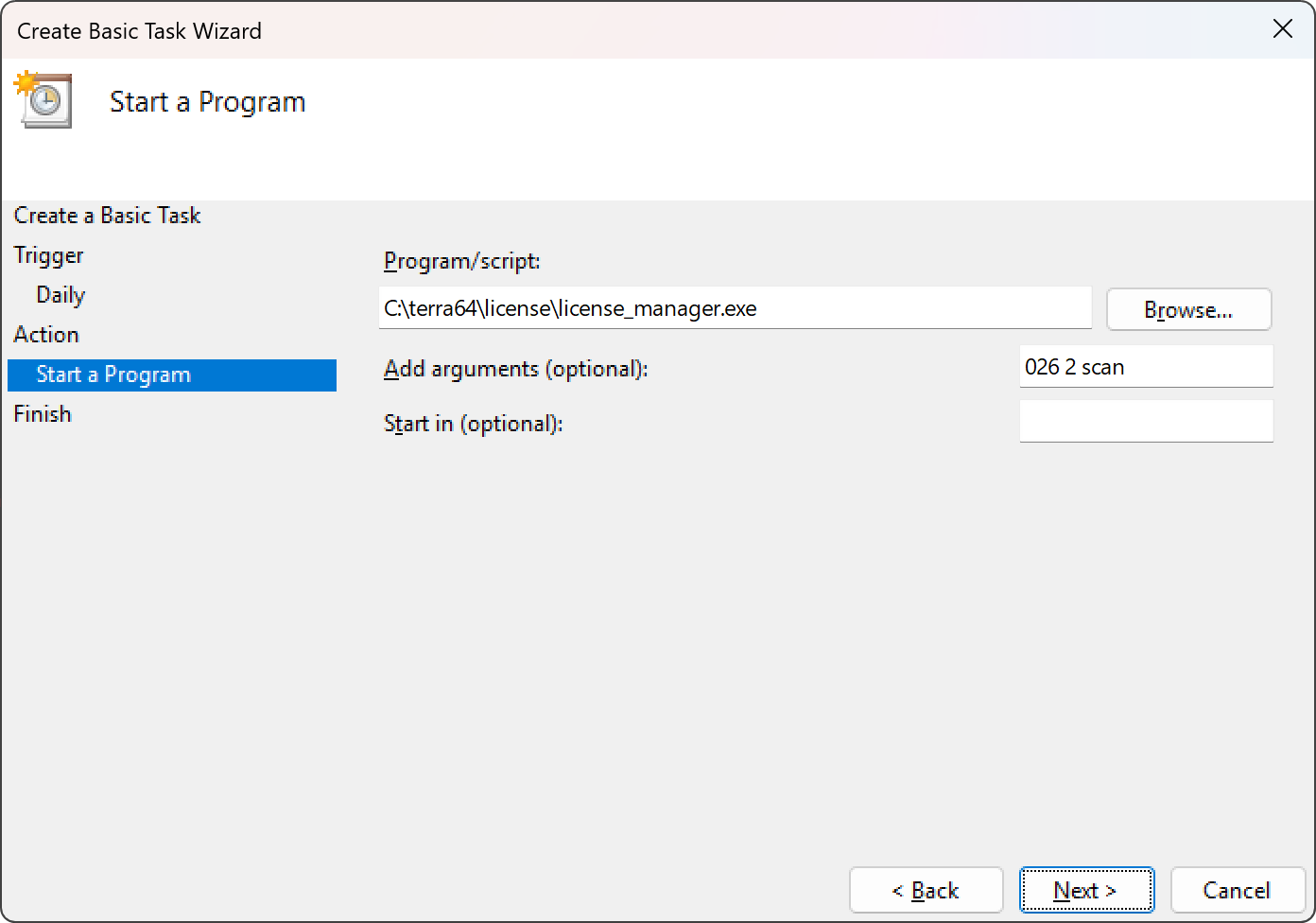
- Specify the task action. Configure the task call the License Manager to request TerraScan license. Use command
license_manager.exe 026 2 scanto request version 26 TerraScan license for two days. or more details on available License Manager commands, see the User guide!
- Save the task and enjoy the automation!
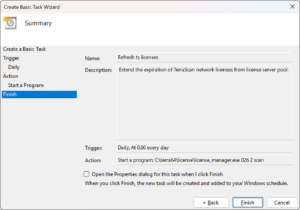
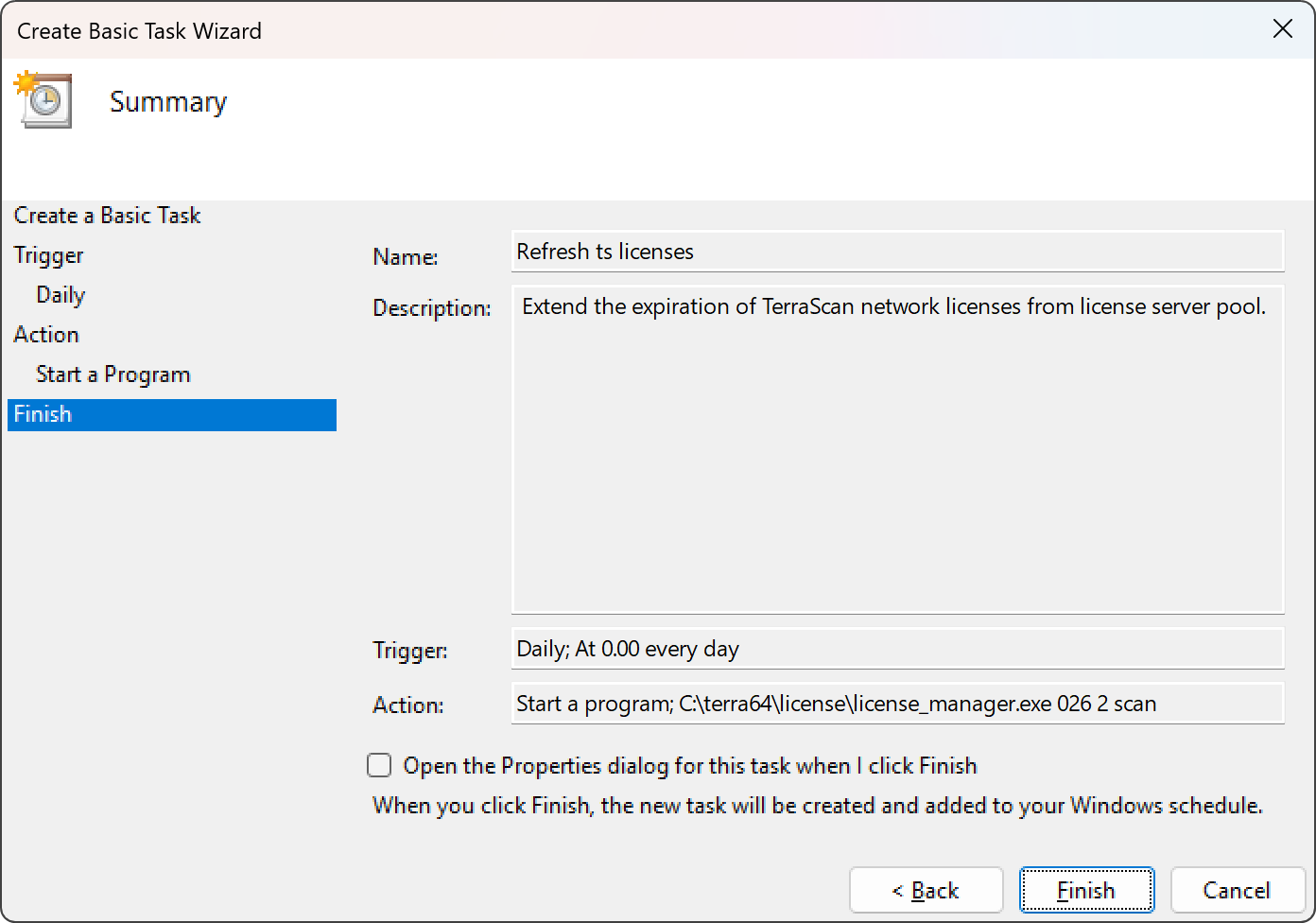
Note! The above task executes only when the computer is on, making the shown setup useful for ensuring license availability for long-running processes. If your aim is to ensure license availability always when the workstation is on, you may create additional task retrieving licenses when the system starts, or you log on to the system.
Depending on the used application, the applications itself may have capabilities for automatically retrieving application licenses on tool launch. For example, TerraBatch can be configured to fetch application licenses automatically from a server, in case it does not have valid license on start. Refer to tool specific user guides and readme documents distributed in the setup packages for further details.
This article provided examples of how automation can simplify daily work with Terrasolid network licenses. Hopefully these ideas help streamline your workflows and make your day‑to‑day tasks smoother!
Written by:
 Antti Järvenpää

Support Engineer at Terrasolid Ltd.