

TerraScan User Guide
File formats / User group info formats
User group info formats category in File formats folder contains a list of user-defined group formats. You can define your own formats which can be used to Write group info. The file format definition determines what attributes are included for each group and what is the order of the attribute fields in the output file.
You can Add, Edit and Delete group info formats by using the corresponding buttons in the Settings dialog. The Copy button creates an identical copy of a selected format definition. The Move up and Move down buttons change the order of formats in the list.
Define a new group info format:
1.Open the User group info formats category in the File formats folder.
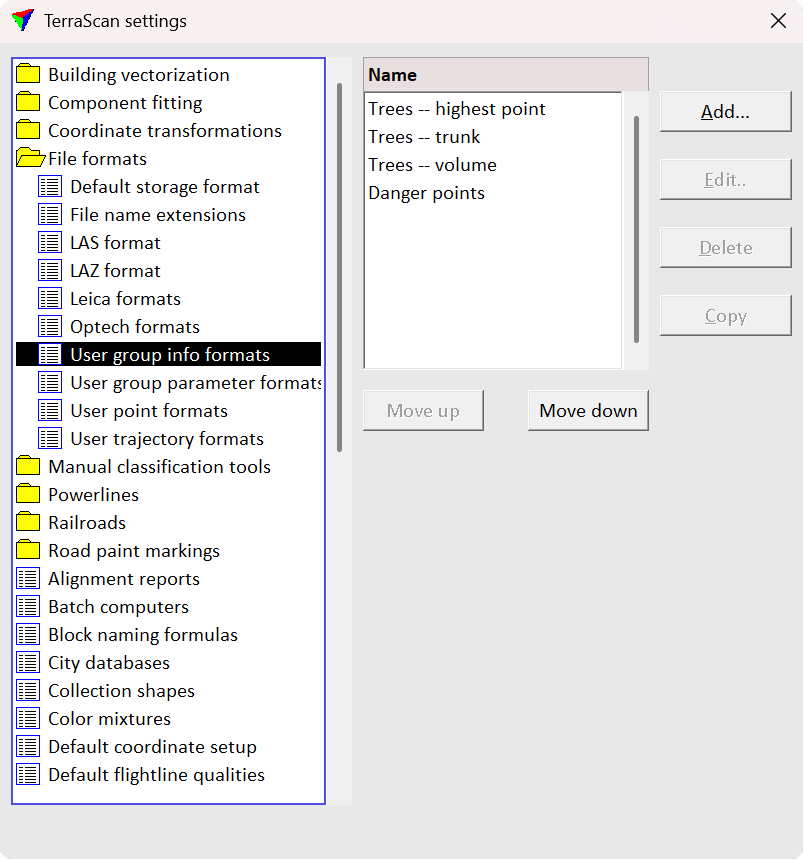
2.Click Add in the Settings dialog. The Group File Format dialog opens:
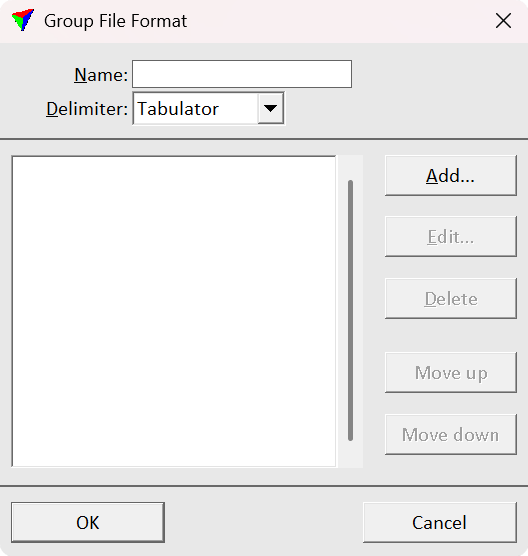
3.Type a Name for the format.
4.Select a Delimiter for separating the attribute fields in the output file. The fields in the output files are delimited by either comma, space, tabulator or semicolon.
5.Click Add in order to add new attributes to the format. The Group Field dialog opens:
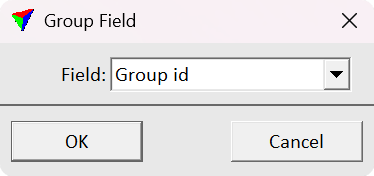
6.Select an attribute from the list of Fields and click OK. This adds the attribute to the list in the Group File Format dialog. Repeat steps 5 and 6 for all attributes you want to add to the group file format.
7.Click OK in the Group File Format dialog.
8.Close the Settings dialog to save the modified TerraScan settings.
User group info formats are stored in a configuration file GROUP_FORMATS.INF in the TerraScan installation folder. You can copy this file to other computers to use the formats on them.
The following attributes can be added to a group information output file:
•Average amplitude, deviation, intensity, reflectance
TerraScan group identifier number.
A number of points in the group.
The dominant class number of the group.
The dominant class name of the group.
Average XYZ coordinate values of the points.
A ground elevation value at the average XY position.
XYZ coordinates derived from the tree trunk.
A diameter of the tree trunk. This requires circular elements drawn in the CAD file that represent the trunk diameter. The elements may be created by the Measure Trunk Diameters tool.
A height from the ground of the trunk diameter measurement used in diameter reporting.
A volume of the tree trunk. This requires circular elements drawn in the CAD file that represent the trunk diameters at different heights. The elements may be created by the Measure Trunk Diameters tool.
A 2D area of a concave hull enclosing the points.
A diameter of the minimum circle enclosing the points.
The largest width of the tree canopy.
A volume of the tree trunk. This requires circular elements drawn in the CAD file that represent the trunk diameters at different heights. The elements may be created by the Measure Trunk Diameters tool.
Average amplitude, deviation, intensity, reflectance
An average value of the selected attribute of the points.
The largest distance value of the points.
The smallest distance value of the points.
A major diameter of the group in XY.
A minor diameter of the group in XY.
An elevation difference between the highest and the lowest points.