

TerraScan User Guide
Classify Noise
 Classify noise tool classifies points deviating from the local surface. This is an interactive manual tool for efficient data cleanup.
The tool can be used, for example, clean outlier points resulting from sensor noise. You can also classify above or below line in section view while using this tool.
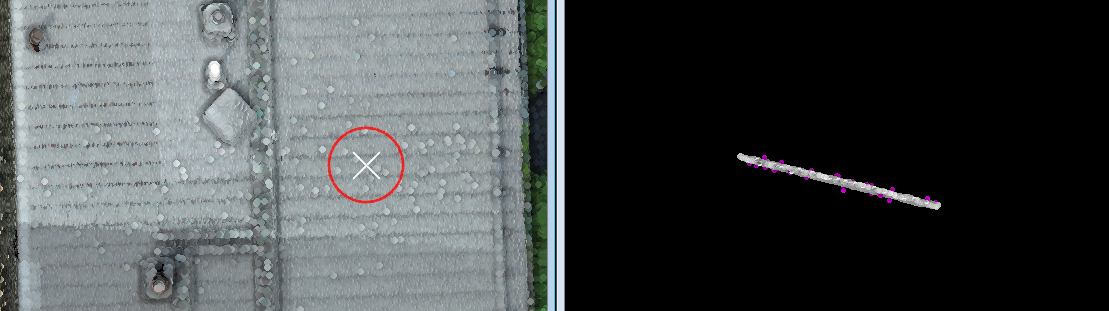
The user can define settings for the temporary display of the modify radius for the tool.
To classify noise:
1. Display the point cloud in a Top view.
2. Select the Classify Noise tool.
The Classify Noise dialog opens:

3. Define settings.
4. Place a data click to the top view to specify the location where to classify noise.
If Section view is None, this classifies the points from the ground class to the target class. You may click another location to classify more noise.
OR
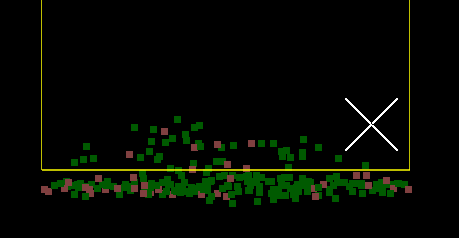
If the Section view is set, the specified location is shown in the section view.
5. In Section view, click two times to specify a line.
Then click third time either above or below the line to classify points.
OR
5. Place another data click to the same location in top view to accept the classification inside the circle. Data click to a new location shown with moving state preview circle updates the section view to show the new location points.
7. Use Save points or Save points As commands in order to save changes to point classes permanently into the point cloud file.
SETTING |
EFFECT |
|---|---|
Section view |
If set, the first data click with the tool previews the specified location in the view specified. Useful for validating the expected noise before classification. |
Displayset |
If enabled, the section view uses Displayset to show only the points inside the Modify radius. This is active only if Section view is specified. |
From |
Source class; only points from this class are affected. The list contains the active classes in TerraScan. Alternatively, Any visible point can be classified. |
Modify radius |
The horizontal neighborhood radius for computing the surface and identifying the noise points. |
Surface |
Determines the expected surface complexity: •Flat plane - points are expected to lie on constant elevation. •Planar - points form a flat, possibly sloped surface. •Curved - points form a flat or curved surface. |
Classify |
Whether to classify noise above the surface, below the surface, or both. |
Count |
The method applied to threshold the classification: •Until tolerance - points outside the fixed tolerance from the surface are classified. •Until limit - points outside the relative limit from the surface are classified. •<number> points - classify specific number of points furthest from the surface. |
Tolerance |
Threshold the points are allowed to spread from the surface. This is available only if Count is set to Until tolerance. |
Limit |
Relative threshold the points are allowed to spread from the surface, defined with multiplier of the standard deviation is available only if Count is set to Until limit. |
To class |
Target class into which points are classified. The list contains the active classes in TerraScan. |
|
Swap From and To class classes. If From class is set to multiple classes or Any visible point, To class is switched to the source class with the lowest class number. |

The classification of the noise points can be undone by using the Undo command of TerraScan.