

TerraScan User Guide
Cut Points
 Cut points tool picks points to the TerraScan clipboard. It cuts the original points away from the point cloud scene.
This tool is most useful for manual edits of visualization with Gaussian Splats.
To cut points to the TerraScan clipboard:
1. (Optional) Compute distance from ground to points. The distance helps to paste points to the ground level.
2. Place a fence in top view or Select a polygon shape outlining the desired points horizontally.
3. Select Cut Points tool.
This opens the Cut Points dialog:
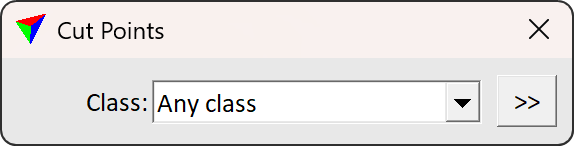
4. Specify class(es) to copy and define the point set front facing direction with a data click.
This adds the points inside the fence to the TerraScan clipboard and removes the points from the point cloud scene. Use Paste points to place the points from clipboard to the scene.
SETTING |
EFFECT |
|---|---|
Class |
Point class(es) to cut. |
|
Opens the Select classes dialog which contains the list of active classes in TerraScan. You can select multiple source classes from the list that are then used in the Class field. |

In Spatix, fence is called Clipper.