

TerraPhoto User Guide
Import Faro Orbis Survey
Not UAV
Import Faro Orbis Survey command reads information from image exterior orientation file and image folder exported from Faro Connect post-processing software. It creates a TerraPhoto mission, an image list and a TerraPhoto camera file.
To import a Faro Orbis survey:
1. Select Import Faro Orbis survey -command from the Mission pulldown menu.
The Import Faro Orbis Survey dialog opens:
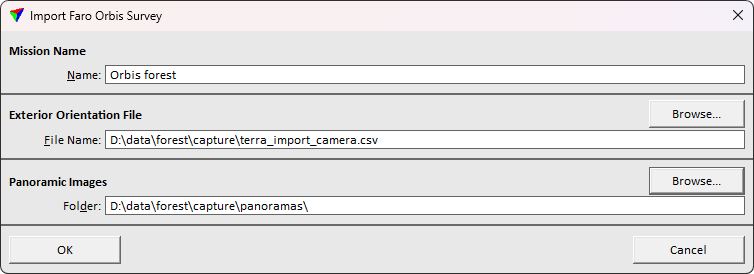
3. Define settings and click OK.
This initializes the mission, image list and camera file and loads these to TerraPhoto. Save the mission, image list and camera file.
SETTING |
EFFECT |
|---|---|
Mission name |
The mission name to apply for the project. |
Exterior orientation file name |
Location and name of the text file that stores the exterior orientation parameters provided by Faro Connect software. This file is converted into a TerraPhoto image list. |
Panoramic images folder |
Directory that stores the raw images. |