

Terra License Server/Manager User Guide
Run Terra License Manager
Terra License Manager needs to be running whenever the user on a client computer wants to request or return a license..
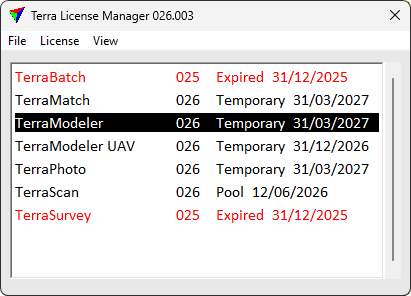
The application window shows the list of all Terrasolid applications and any licenses that are currently used on this computer. For each license, the version number, license type and return date are displayed. Temporary means node-locked license and Pool means network license.
COMMAND |
EFFECT |
|---|---|
Open Terra License Manger Settings. |
|
Request a license from the License Server. |
|
Return a license to the License Server |
|
View license information |
|
Hide applications from the list in the application window |
|
Check the state of the License Server and the communication between License Manager and License Server |