

TerraSplat User Guide
Starting TerraSplat
TerraSplat is an application that runs on top of Spatix (Ix App) or Bentley CAD (MDL Application).
TerraSplat and TerraStereo are mutually exclusive and should not be installed/loaded at the same time.
To start TerraSplat in Spatix:
1.Select Execute command from the Ix Apps menu in Spatix. Then Choose Ix app to execute dialog opens, a standard Windows dialog to open a file.
2.Browse to the \app folder of the Terra applications installation directory. By default, the path is C:\TERRA64\APP.
3.Select the tsplat.ix file. You may select other applications as well.
4.Click Open to start all selected applications.
To enable automatic loading of TerraSplat
Check the Load on startup under the IxApp Properties.
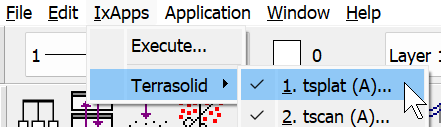
Select tsplat to open IxApps properties
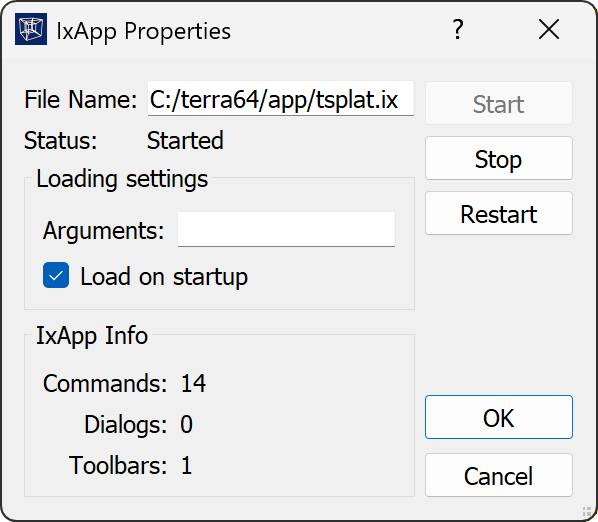
IxApps properties windows for enabling load application on startup
To start TerraSplat on Bentley CAD platform:
1.Select MDL Applications command from the Utilities ribbon in Bentley CAD. The MDL dialog opens. In the Available Applications list, select TSPLAT and click load. If the list is empty click Browse and locate the tsplat.ma file in C:\terra64\ma\tsplat.ma.
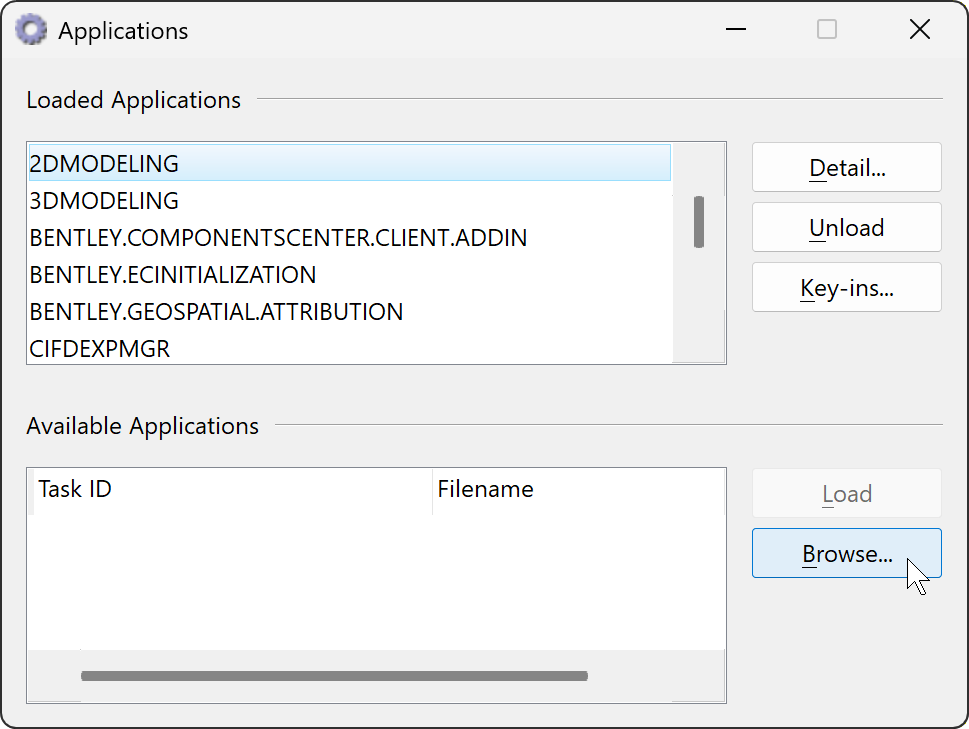
OR
1.Key in
When the application is loaded, it opens the TerraSplat toolbox. If the TerraSplat toolbox is accidentally closed, it can be re-opened with the Main toolbox command from the Toolboxes submenu in the Tools pulldown menu or with the key-in command: