

TerraScan User Guide
Tools / Fit alternative components
Fit alternative components command can be used to create an alternative set of components for a curved set or a line.
The operation of the command depends on the type of the selected components in the main window. The selection must only include either curved components or a line but not both, curved components and lines or several lines.
A curved set
If the selection includes components of a curved set (circular arcs, clothoids), the command opens the Fit alternative to curve dialog:
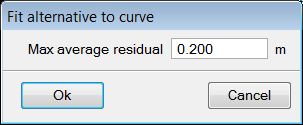
The Max average residual value determines the maximum allowed average residual of the alternative components.
The application tries to find an alternative set of components for the curve set that includes the selected component(s). The analysis of the maximum average residual is done for the curved set and the line components before and after it. If a solution is found that fulfills the accuracy requirement, the list of components in the main window is updated.
The lines before and after the curved set can dominate in the accuracy check. This means that it is unrealistic to try to find alternative components for a curved set that are more accurate than the lines before and after it.
A line
If the selection includes a line component, the command opens the Fit alternative to line dialog:
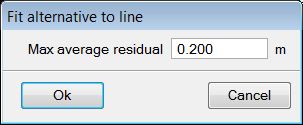
The Max average residual value determines the maximum allowed average residual of the alternative components.
The application tries to find an alternative set of components for the selected line. The result normally includes both, lines and arcs. The analysis of the maximum average residual is done for the line and the arc components before and after it. If a solution is found that fulfills the accuracy requirement, the list of components in the main window is updated.
The command works only for lines that are connected to arcs. Lines connected to clothoids are not yet supported.