TerraScan User Guide
Survey / Show curvature
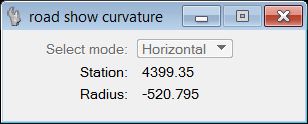
Show curvature command can be used to display the curvature along the line string. The command requires that the Survey / Draw curvature graph command has been performed before and that the graph is drawn in the CAD file.
The curvature is displayed dynamically for the station closest to the mouse pointer and calculated using the parameters specified in the dialog of the Survey / Draw curvature graph command. The station value can be selected either from the line string or from the curvature graph.