

TerraScan User Guide
Component / Modify selected
Modify selected command is used to modify the radius of a single selected circular arc component. It opens the Road modify component dialog:
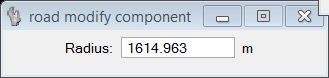
The Radius value shown in the dialog is an estimate made by the application. The sign of the radius is also determined automatically. You may set the new radius of the circular arc to a specific value by typing the value into the Radius field.
If a continuous solution is found, a preview of the modified component is shown in the CAD view. If you accept the modification by a data click, the arc radius is changed and the component list is updated.
Key-in: road modify component